
Syncle
One catalog, dozens of retailer templates
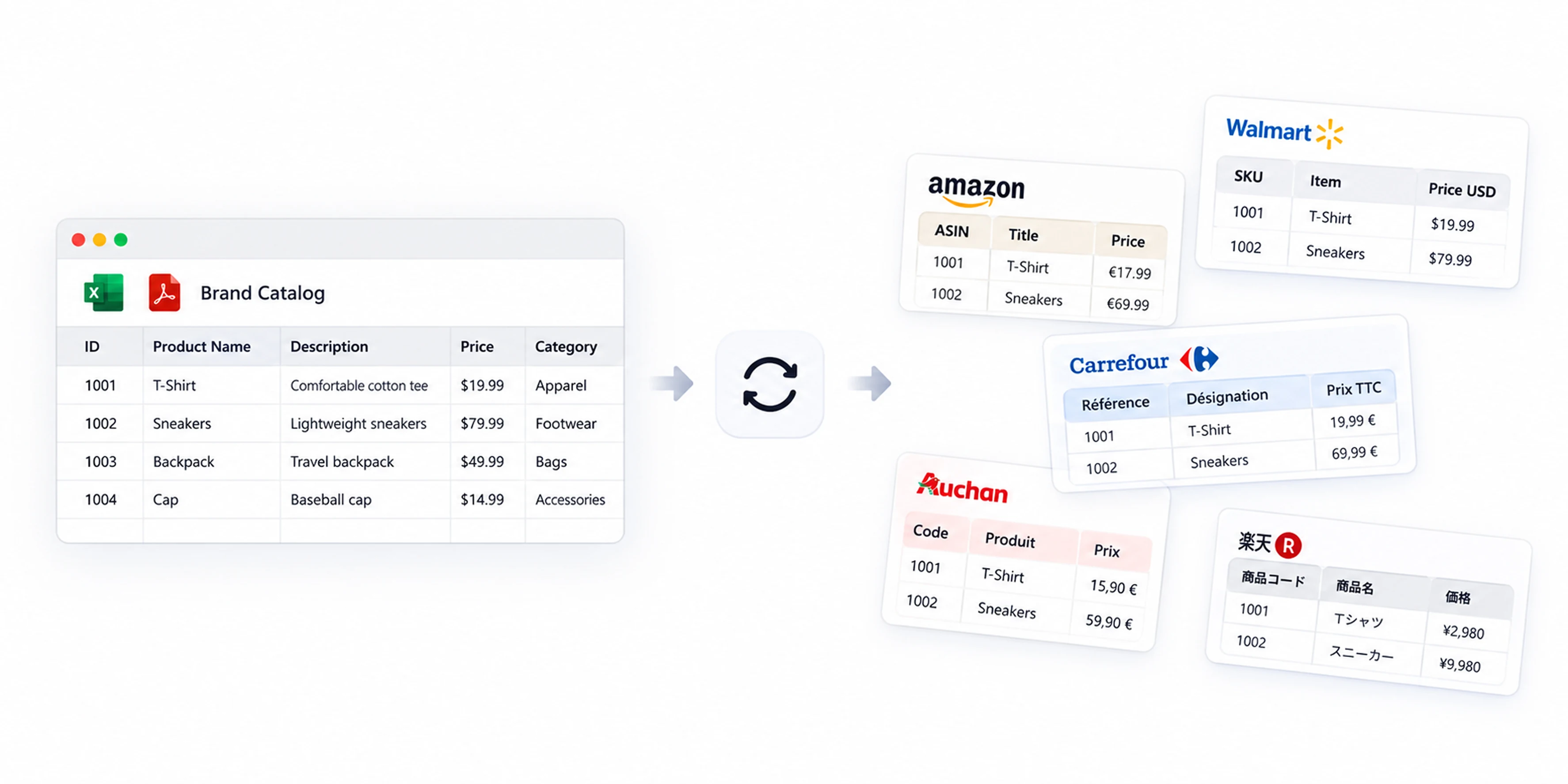
Brands manually transfer a catalog from Excel or PDF into each retailer's template: every recipient has its own fields, languages, and requirements, and the file comes back with errors. I was the only designer at Syncle and took the product from beta to launch. I simplified the catalog × recipient relationship and made an editable preview that is the finished file for the retailer. Preparing a file went from several days to 5 minutes.
Solution 1. Two pages instead of four
In the beta, the catalog × recipient relationship was spread across four pages, and people lost track of where each setting lived. I cut the structure to two and moved recipients into a right column that stays on screen: the template is where most of the work happens.


Solution 2. The screen is the file
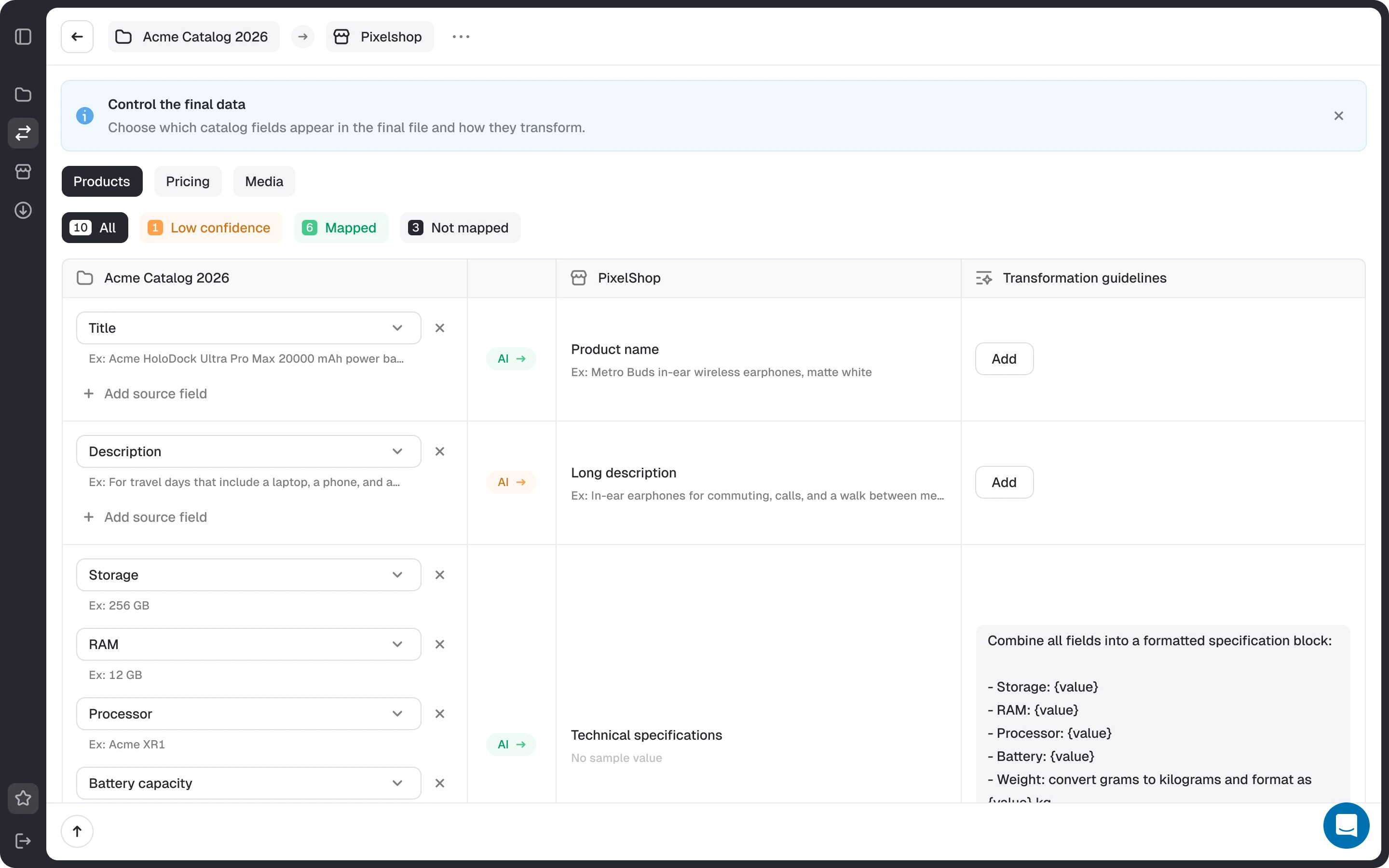
Beta showed what mattered: classic mapping did not work. People could see how columns connected, but not the Excel file the retailer would receive. I proposed a different model: the preview is the file. The table shows what lands in each column, and why.


Solution 3. Each cell explains itself
A click shows the catalog fields and the rule the pipeline applied. Fields and the transformation can be changed on the screen, and you immediately see how other products will land in this template.


An example of the pipeline on one column. The same rule then scales to every product in the export.
Solution 4. Files for several recipients in one step
When the preview is correct, the user selects products and several recipients at once. Each recipient gets its own file, ready to send. The build status is visible in the queue.


We have worked side by side with Kirill for over two years, building entirely new products from the ground up and bringing them to market. Kirill designed the UX and user flows for difficult tasks, such as presenting complex data structures and managing a large number of entities.